A project that gets over the finish line doesn’t immediately mean it was a success. There are so many more things to take into account: Was each phase completed on time? Does it cover all of the pre-set objectives? Did it fit within budget? Were there any major issues and how were they dealt with?
A specialised project management tool is essential for businesses to plan, execute, and monitor projects successfully. So, today, we’ll be looking at Odoo ERP software and the functionality it offers for project management specifically.
What is Odoo ERP system?
Odoo is a comprehensive business management system that brings all business processes together into one place. This includes CRM, accounting, sales, manufacturing, HR, marketing, and, of course, project management. The software uses a modular structure, meaning each of these business areas has a dedicated module. This also means that businesses can choose which modules they actually need, without overwhelming the software with unnecessary apps.
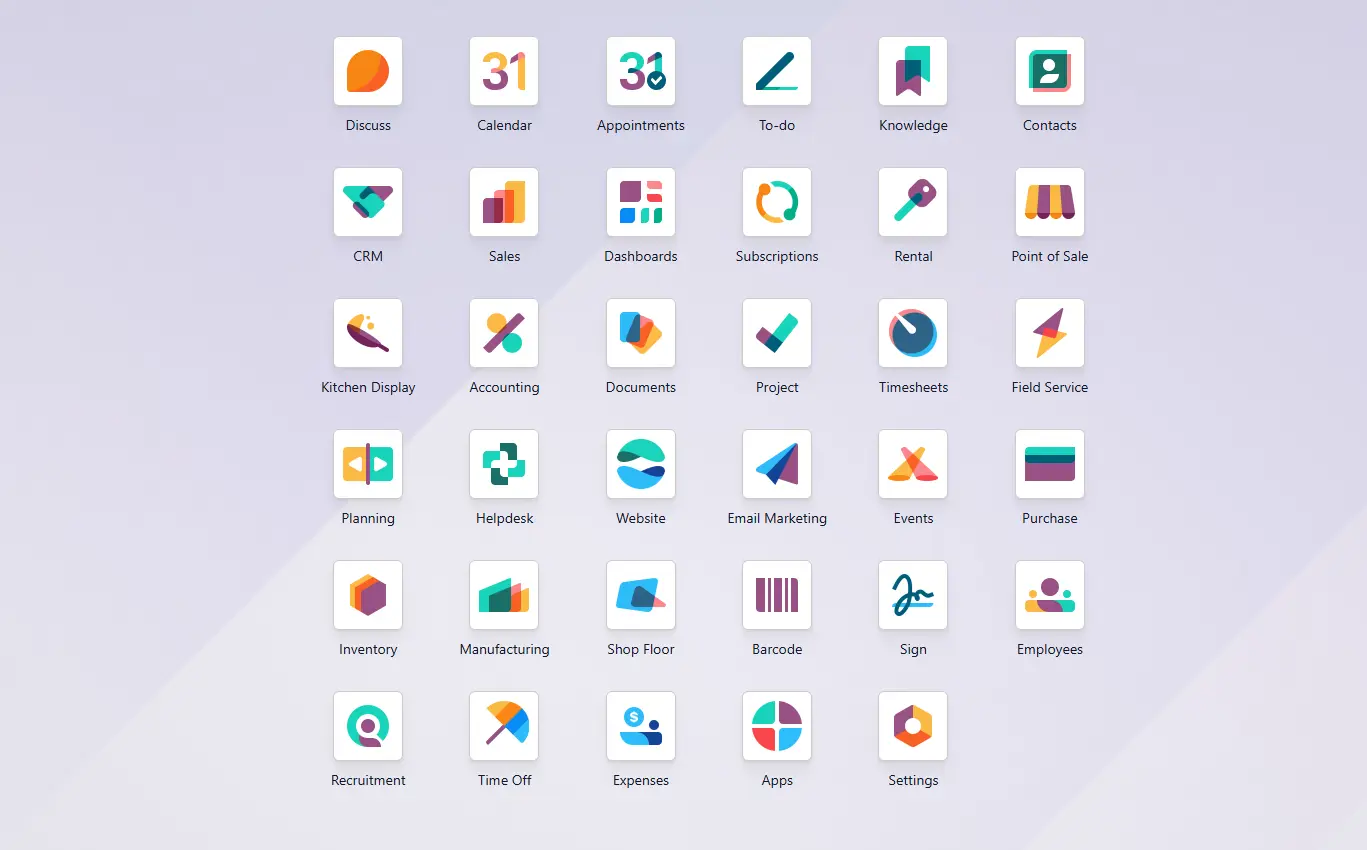
Odoo ERP main dashboard
Odoo Project Management module is designed to help project teams organise their projects and tasks, collaborate on them efficiently, track client conversations, monitor progress, and maintain full visibility throughout the whole duration of the project.
Because it sits within the wider Odoo ecosystem, it offers the opportunity for a fully integrated approach to project management – an advantage that isn’t always possible with third-party platforms like Trello or Monday.
Core functionality of Odoo Project Management
Task and project creation
Odoo allows users to create projects quickly and break them down into manageable tasks and subtasks. Each task can be assigned to specific team members, given deadlines, tags, and descriptions, and prioritised according to importance.
Project templates can also be created for recurring workflows, allowing teams to standardise processes and reduce setup time for new projects. This helps achieve more consistency and efficiency across similar assignments.
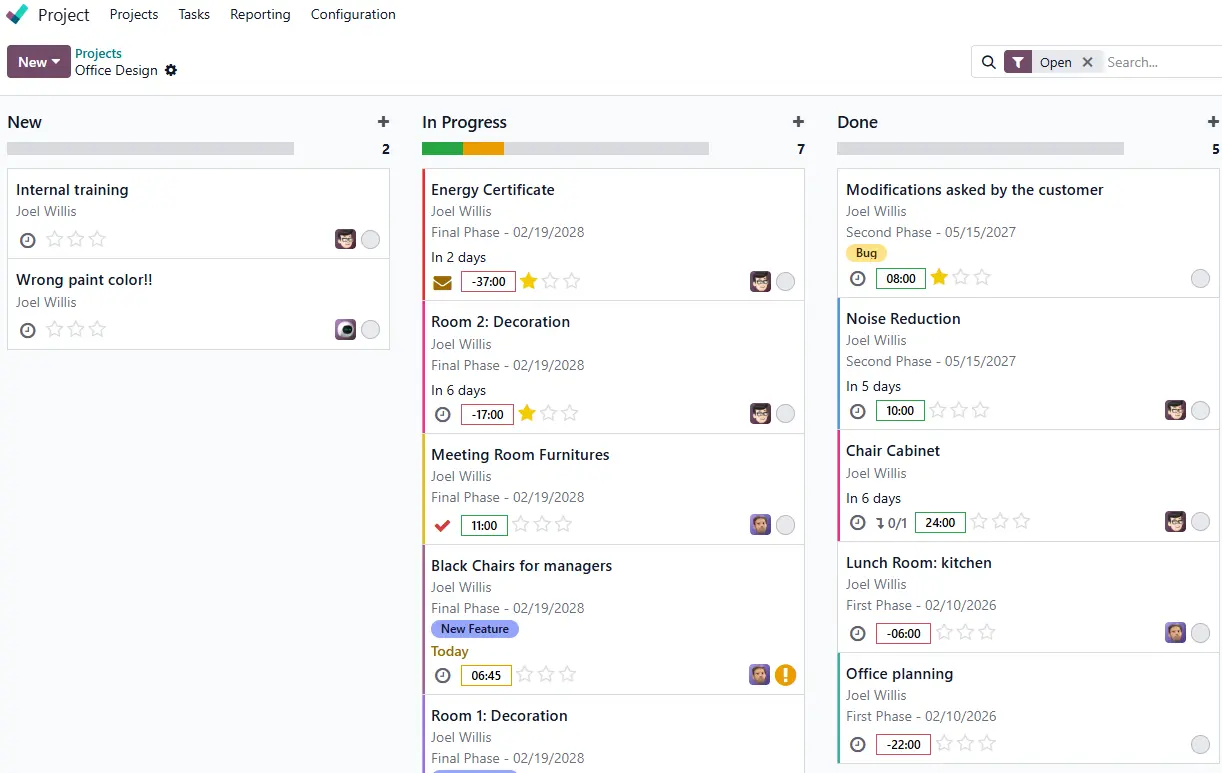
Project module dashboard (Kanban view)
Visual planning tools
Odoo provides multiple visual tools to help teams organise and monitor their work effectively:
- Kanban boards: Easy overview of all tasks and their stages, with drag-and-drop functionality,
- Gantt charts: Visual timelines to tack deadlines and task dependencies.
- Calendar views: Calendar-based scheduling and deadline tracking.
- List views: Detailed task management with smart filters and groups.
- Graphs: Project and task analytics based on selected filters.
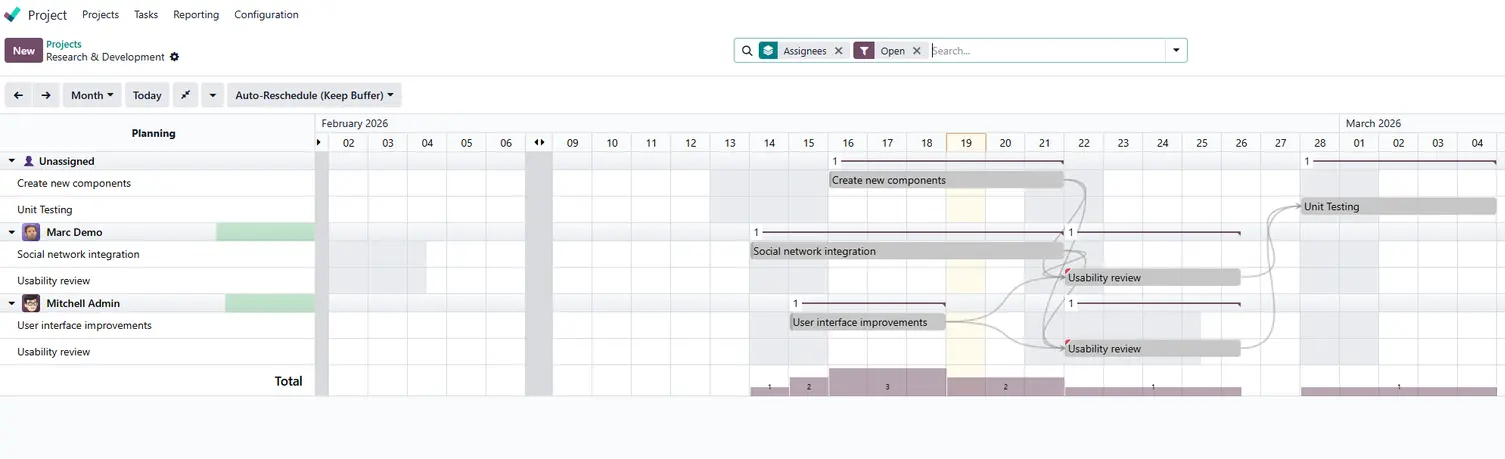
Gantt chart view example
The visual project planning tools on Odoo are highly intuitive and user-friendly. They allow project managers to oversee multiple projects at once, allocating resources and making adjustments where necessary.
Collaboration features
The ability to collaborate with as little friction as possible is paramount for successful project management. Odoo supports teamwork through:
- Internal messaging and tagging within tasks (Chatter);
- Centralised file and document sharing;
- Custom alerts (Activities) and reminders;
- Real-time collaboration on the same tasks;
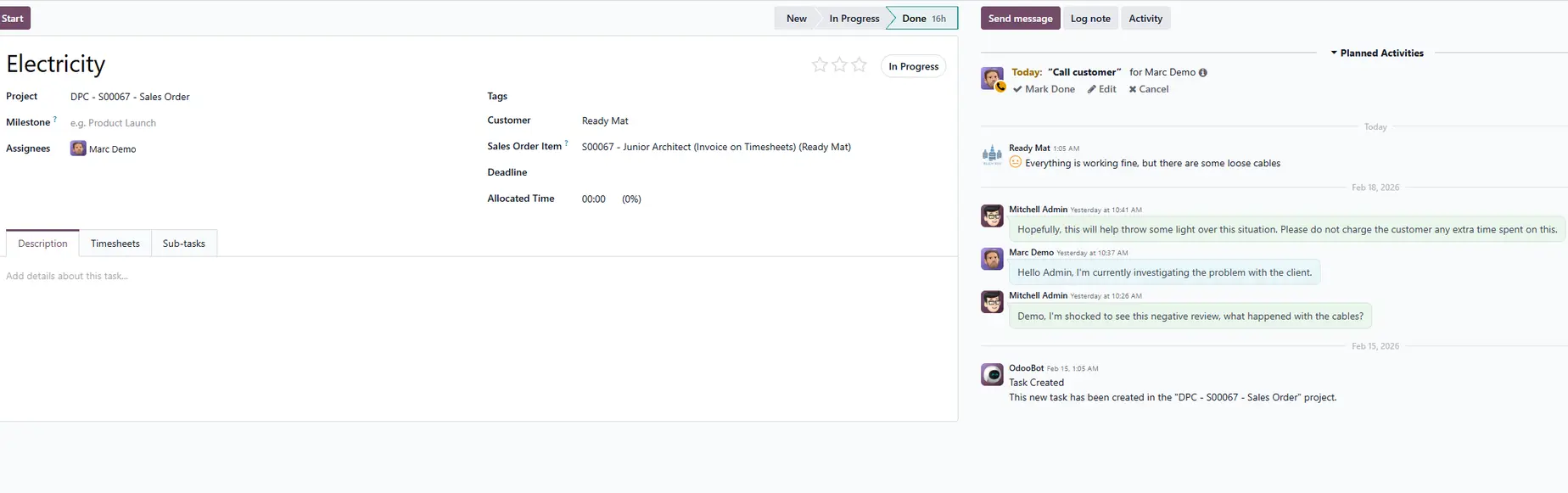
Internal team chat in a project task
All project notes and communication (including client emails) is stored in one place, instead of personal inboxes. Therefore, the relevant team members always have access to the latest information and can assist the client, even when the responsible colleague is unavailable.
Time tracking and timesheets
Odoo includes built-in time tracking and timesheet functionality, allowing teams to record time spent on each task accurately. The management team benefits from:
- Tracking billable and non-billable hours;
- Linking timesheets directly to tasks;
- Monitoring productivity;
- Integrating timesheet data with sales and expenses;
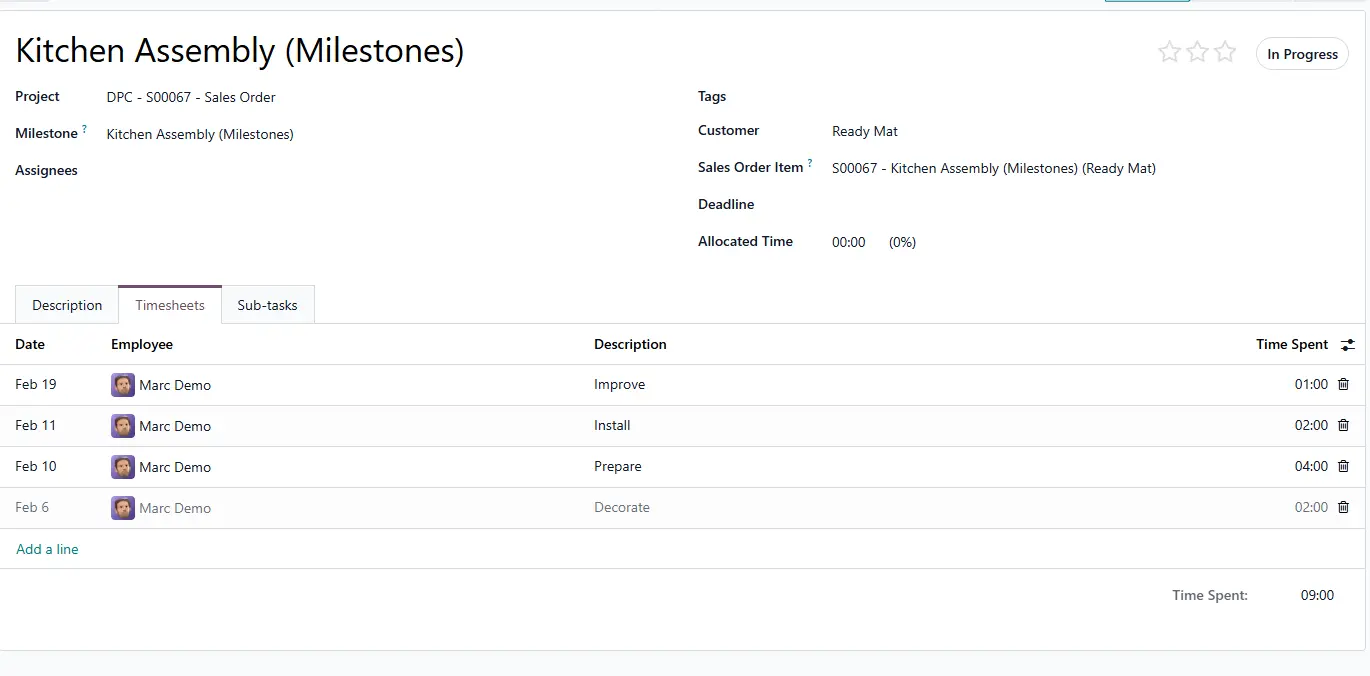
Timesheets in a project task
Accurate time tracking does not only make billing easier and more transparent, but also lets organisations have a better oversight of their project efforts and financial outcomes.
Workflow automation
Odoo comes with a variety of automation tools that help businesses improve the efficiency of their workflows significantly. For instance, tasks can be assigned automatically to specific teams or people (e.g. according to their office location or job position). Similarly, users can set automated actions triggered by specific events, like sending a reminder email or SMS, or scheduling an activity for deadline reminders.
Additionally, Odoo 19 version has introduced a new feature, AI Agents, which will help further optimise workflows. Users will be able to prompt an integrated AI chat to help them with various tasks, such as data retrieval, analytics, response writing, call summaries, and more.
All of these features reduce manual administrative work, allowing teams to focus on the things that deliver actual value.
Reporting and analytics
Odoo provides comprehensive reporting tools to help organisations monitor project performance and make informed decisions.
- Time analysis and productivity tracking (grouped by projects, teams, members, etc.);
- Performance and progress dashboards (e.g. Burndown chart);
- Budget management and project profitability analysis;
- Customisable reports and KPIs (options are endless);
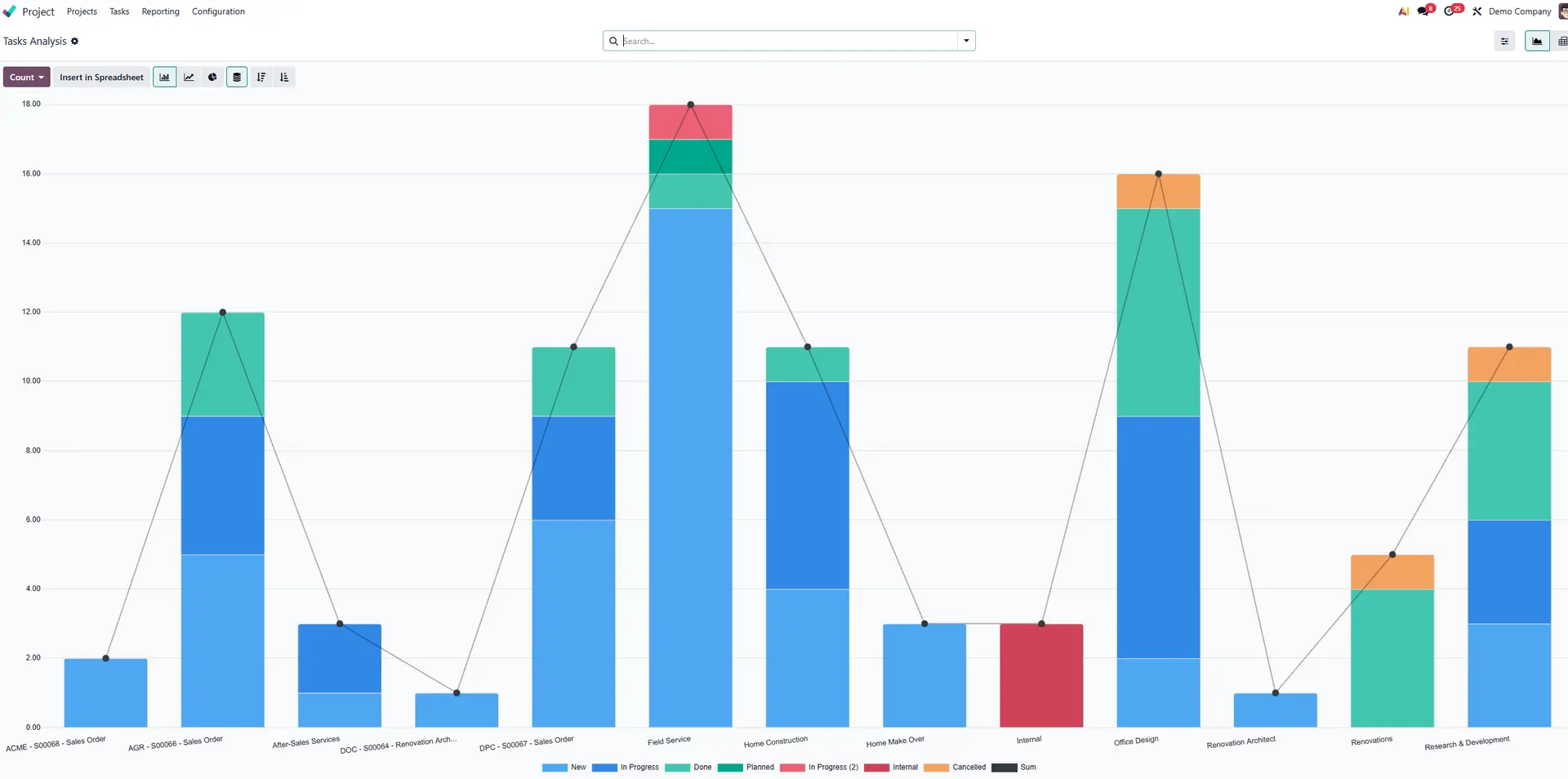
Example of project task progress analysis report
Management teams can use these reports to identify potential issues early and optimise resource allocation, ensuring that projects remain financially viable at all times. Besides the managers, all users can access relevant dashboards and check their own performance as well as progress towards wider organisational goals.
Integration with other Odoo modules
One of the biggest advantages of Odoo ERP is its integration across all business functions. The project management module connects seamlessly with other modules, such as:
- CRM: Linking leads / opportunities with projects;
- Sales: Linking projects to sales orders and contracts;
- Expenses: Tracking costs, expenses, and project profitability;
- Helpdesk: Converting support tickets into tasks and vice versa;
- Field Service: Controlling onsite interventions related to specific projects;
- Planning: Managing resources and materials across projects;
Essentially, this level of integration provides a single source of truth across the entire organisation, avoiding data silos and, therefore, miscommunications between departments.
Key benefits of using Odoo Project Management
Cost-effectiveness
Odoo is one of the most cost-effective ERP systems on the market. Not just that, it combines project management with other essential business functions for the same licence price. This can significantly lower software costs (multiple different subscriptions can often add up to more).
Improved team collaboration
Bringing all client and team communication, documents, updates, and other information into a single environment has direct benefits to team collaboration. Everyone involved in a project can clearly see what their responsibilities are and work on the same tasks in harmony.
Increased productivity and efficiency
Automation and streamlined workflows reduce time spent on manual administrative tasks, while improved team work means processes encounter less friction. This lets everyone focus on delivering high-quality work and meeting project deadlines more consistently.
Centralised project information
With Odoo, project-related information is not only stored in one central platform, but integrated with other relevant business areas, like CRM and sales. Teams no longer need to switch between multiple different systems, which reduces the risk of errors or miscommunication.
Better financial control
Through integrated timesheets, expenses, analytics, and sales features, businesses gain real-time visibility into project costs and profitability. This supports more accurate budgeting and financial planning.
Customisation and flexibility
Odoo’s open source nature allows for extensive customisation. Businesses can tailor workflows and dashboards to match their specific operational requirements, ensuring the system aligns with their unique processes.
Scalability for growing businesses
Odoo is highly scalable, making it suitable for businesses at various stages of growth. Organisations can start with core project management features and expand into additional modules or develop custom-made functionality – as and when their needs evolve.
Odoo implementation with official partners
Odoo implementation is a project in itself – one that requires thoughtful planning and expertise. As official Odoo ERP partners, we are here to help you utilise this powerful tool to its maximum advantage. We’ll analyse your business processes and configure the software to your unique project management needs.
Whether you’re looking to start with Odoo project management only or considering full Odoo ERP implementation, let’s chat!
